A custom app from your own recipes and the library's
Original: nasutils.net/howto-bucketvs-recipe-app.html. Version of 2026-11-26.
An App Builder app can take the recipes of one project beside the library's. This guide makes the app termtools on the Apps page, with cmatrix from the project of Your first own recipe and tmux and htop from the library, then activates it on the NAS and exports it.
 Play the film on nasutils.net
- Project recipes of your own
- New app Recipes from a project
- Recipes the project's and the library's
- Build one job
- Use Activate, Export
The pictures come from the panel of Bucket & Code Server IDE, with each step done as this guide describes.
01 Recipes from your own project
When you make the app, pick a project in Recipes from a project. The list offers your projects that have recipes in their recipes/ folder. The app then builds with that project's recipes as well as the library's. If both have a recipe with the same name, the app uses your project's version. Apps that do not take this project keep the library's version. You can change the project later on the app's page.
02 New app with a project's recipes
On the Apps page, New app asks first for the name and the prefix, the environment, the target, where the programs run and the link mode. Call the app termtools; its prefix becomes /usr/app/termtools. Choose the Ubuntu 24.04 builder as the environment, keep this NAS as the target and the link mode on dynamic, then go on with Choose recipes.
Above the recipe list is the field Recipes from a project. It offers every project that has recipes, and None: the library only. Choose cmatrix. The list now shows the project's recipes first, under the project's name, each marked project. The library's recipes follow under Recipe library. A project recipe that replaces a library recipe says replaces the library’s, followed by the library recipe's version.
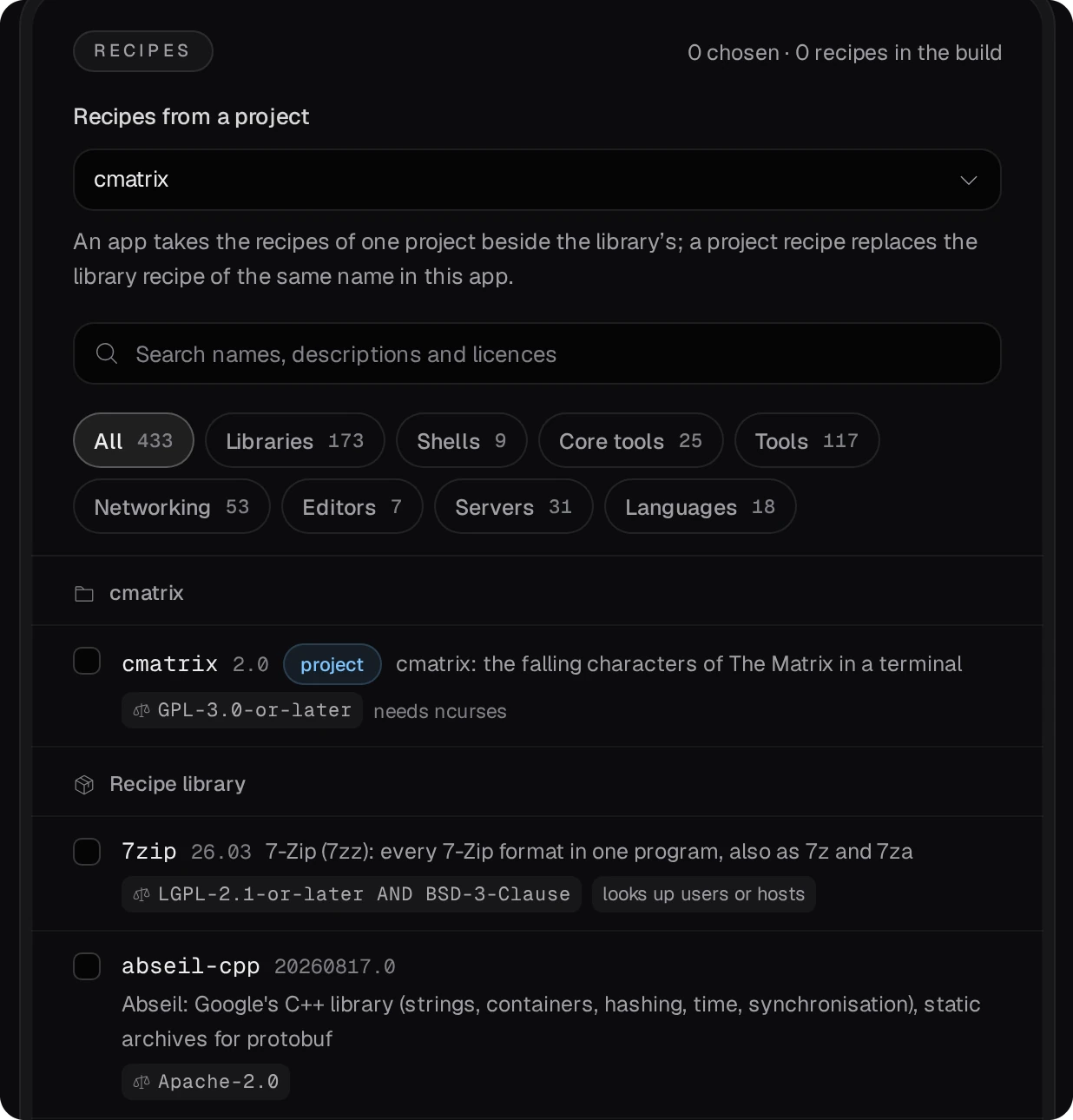
Tick cmatrix in the project's group, and tmux and htop in the library's; the search box finds them. The Build order adds the recipes they need and marks each with the recipe that needs it. Review lists every choice, Recipes from a project among them, and Create and build makes the app and starts its build.
03 The build
The app's page follows the build recipe by recipe. Under the app's name it says Recipes from the project cmatrix, which a developer sees as a link to the project. The build job reads the project's recipes once, when it starts, and its log says what it read:
recipes of the project cmatrix, read at the job's start: 2 (cmatrix hello)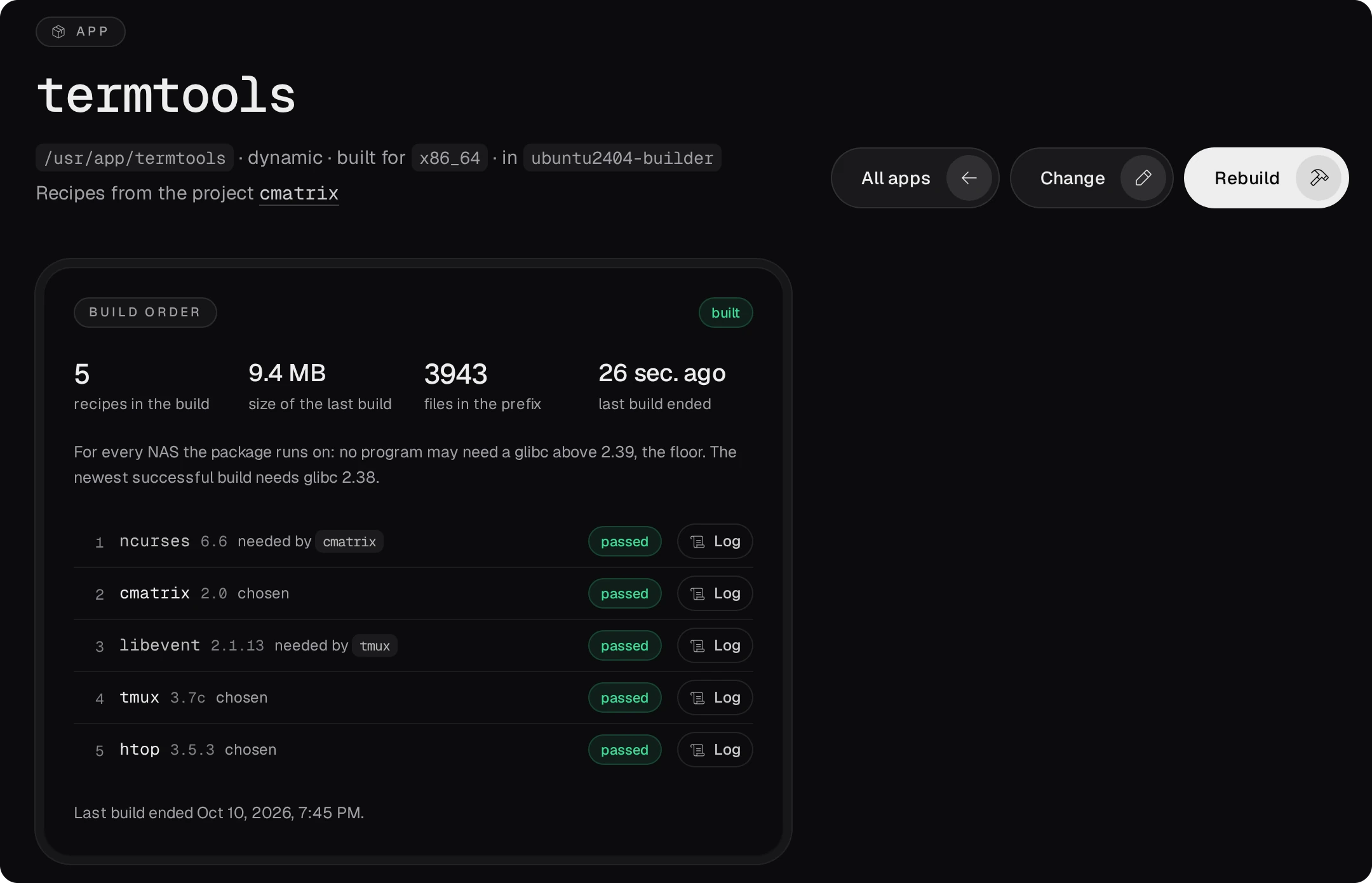
A change to the project's recipes saved after the build has started does not go into this build. The next build takes it: press Rebuild on the app's page.
04 Activate it, take it elsewhere
Activate (an admin's) makes /usr/app/termtools a link to the newest build that passed, and the programs run on the NAS from there:
/usr/app/termtools/bin/cmatrix
/usr/app/termtools/bin/tmux -VDownload saves the build as an archive. Unpack it at the same prefix on a NAS with the same processor architecture. Export as QPKG packs the build as a QTS package without a code signature. An admin can use it once QDK is installed (Toolchains page, QNAP tab). An app built for this NAS only cannot be exported. Transmission from scratch follows one program all the way, from a NAS with nothing set up to an installed QTS package that answers in the browser.
05 Another project, or none
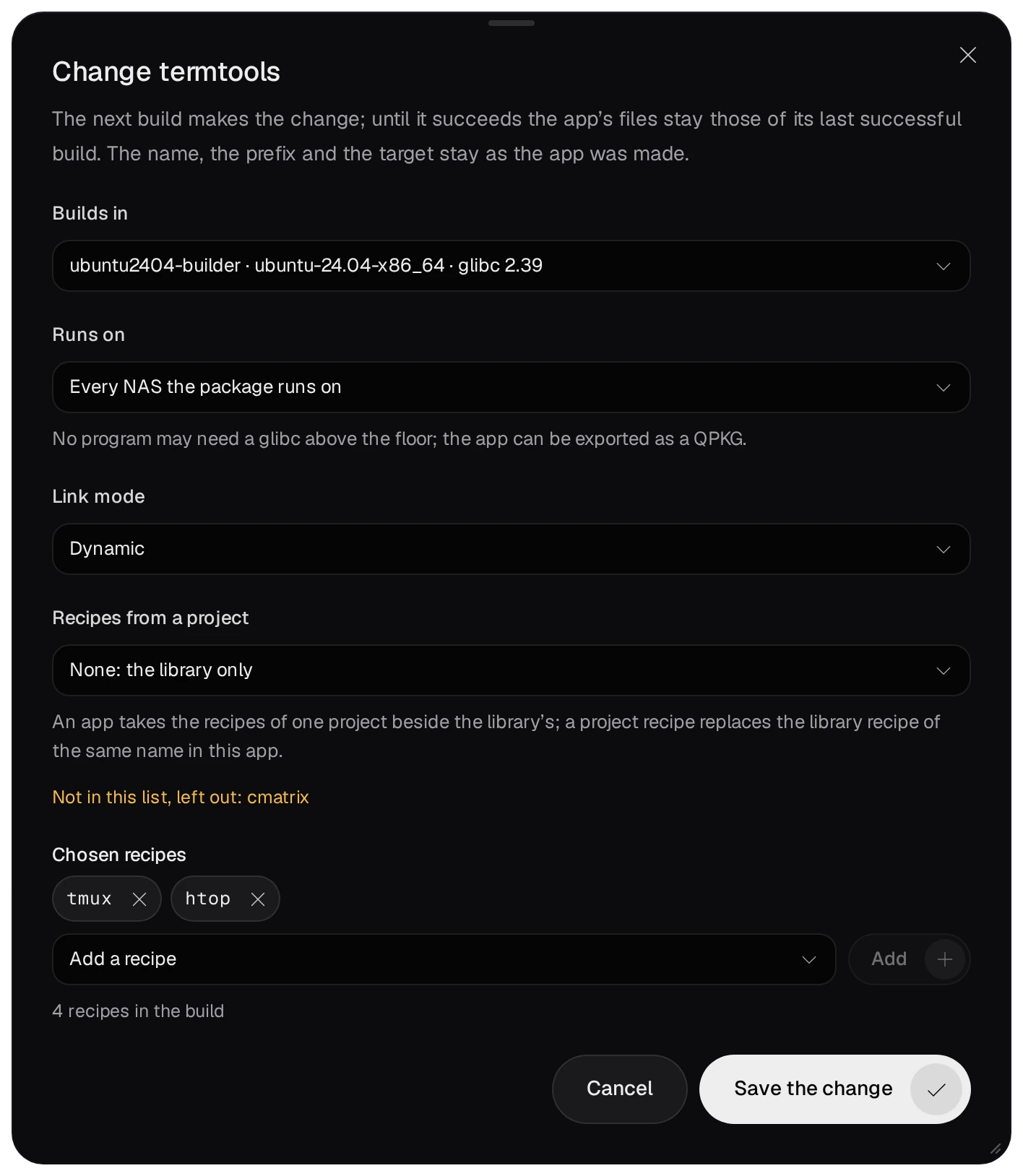
To switch projects, press Change on the app's page and pick another project in Recipes from a project, or None: the library only. If a recipe you chose is not in the new list, the field names it, for example Not in this list, left out: cmatrix, and the app leaves that recipe out. Save the change does not touch the app's files: the next build uses the new choice.
06 Rules
- The app remembers its project by the folder's name. If you rename or delete that folder, the panel refuses to build the app and shows No project named cmatrix. It also refuses a change that keeps the old name. In Change, pick the folder's new name or None: the library only.
- A project recipe with a problem is left out, and the field says why. The library's recipe of the same name does not stand in for it.
- Only a developer sees a project's recipes. A viewer sees the app and its builds; the app's page tells a viewer that the build order is not shown.
- Making an app needs the developer role. Activate, Deactivate and Export as QPKG are an admin's.