Your QNAP needs no Entware
Original: nasutils.net/entware-replacement.html. Version of 2026-11-27.
Packages compiled from Bucket & Code's recipes: current software for QTS and QuTS hero, installed from App Center.
The package format of QNAP apps.
Entware and Optware add a second package manager to the NAS, and it downloads programs from a feed of its own. Our packages work differently: Bucket & Code compiles each program from its source, tests it and packs it as a QPKG. App Center installs and updates the package like any other app.
TurboShell, TurboStat and TurboX contain the commands that people installed Entware for. For other programs, the same recipes build a package of your own.
561 recipes · Intel and AMD (x86_64) · QTS 6.0 or QuTS hero 6.0 or newer · freeware
{
  "name": "rsync",
  "version": "latest",
  "category": "network",
  "license": "GPL-3.0-or-later",
  "source": {
    "url": "https://github.com/RsyncProject/rsync/releases/download/v{version}/rsync-{version}.tar.gz"
  },
  "watch": {
    "type": "github-release",
    "repo": "RsyncProject/rsync"
  },
  "deps": ["openssl", "zstd", "lz4", "xxhash", "zlib"],
  "static": true,
  "check": "bin/rsync --version | first && bin/rsync --version | has xxh128 && …"
}A tool that copies and syncs files locally or over the network, also over SSH. Over the network it can send only the changed parts of files already at the target. TurboShell has its own, newer rsync.
: rsync's recipe as you write it in your own project: latest as the version and {version} in the address. Each build downloads the newest release and then runs the recipe's test.
Find your command
Type a command you used from Entware. Its row names the package that contains it and what you get.
Where you type the name decides which copy runs:
- SSH
An encrypted connection to a command line on another computer.An SSH login. Sign in over SSH as admin or another administrator: the 16 commands of the first group run our copy. A command that only our packages have runs by name too. - A shell you type into. A shell you start from that login,
sudoandsudo -ikeep the same order. If QTS has a program of the same name outside the first group, QTS's copy runs, and ours is in/usr/app/<package>/bin. - Cron, QTS's own scripts and a command sent over ssh. A name typed there finds QTS's commands only. Give ours by its full path:
/usr/app/TurboShell/bin/rsync.
Our copy runs when you type the name
| Command | Package | What you get |
|---|---|---|
bash | TurboShell | GNU Bash with associative arrays, mapfile and globstar |
dd | TurboShell | GNU dd, with status=progress |
diff | TurboShell | GNU diff, with diff3, sdiff and cmp |
find | TurboShell | GNU find, with xargs, locate and updatedb |
free | TurboStat | Used, free and cached memory |
grep | TurboShell | GNU grep, with Perl-compatible regular expressions through -P |
hdparm | TurboStat | Reads and sets disk parameters and measures read speed; -I shows the drive's details |
iostat | TurboStat | Read and write rates and load per disk |
jq | TurboShell | Reads, filters and rewrites JSON |
less | TurboShell | Pages through files and long output, forwards and back |
lspci | TurboStat | Lists the PCI devices, such as network cards and disk controllers, by name |
python3 | TurboShell | Python 3 with pip and its standard library |
rsync | TurboShell | Syncs folders on the NAS or over SSH, with zstd and lz4 compression |
sort | TurboShell | GNU sort, with -h for sizes such as 2K and 1G |
tar | TurboShell | GNU tar: packs and unpacks archives, also with --zstd |
vim | TurboShell | The Vim editor, with xxd for hex dumps |
In our packages
| Command | Package | What you get |
|---|---|---|
7zz | TurboShell | 7-Zip: every 7-Zip format in one program |
arp-scan | TurboStat | Finds the hosts of the local network, with the vendor of each MAC address |
atop | TurboStat | A system and process monitor that logs over time |
autossh | TurboShell | Restarts ssh when the connection or one of its tunnels stops working |
BitchX | TurboX | The classic terminal IRC client |
bmon | TurboStat | Bandwidth per interface, with rates and graphs |
bsdtar | TurboShell | tar, zip, 7z, rar, cab and iso archives with one command |
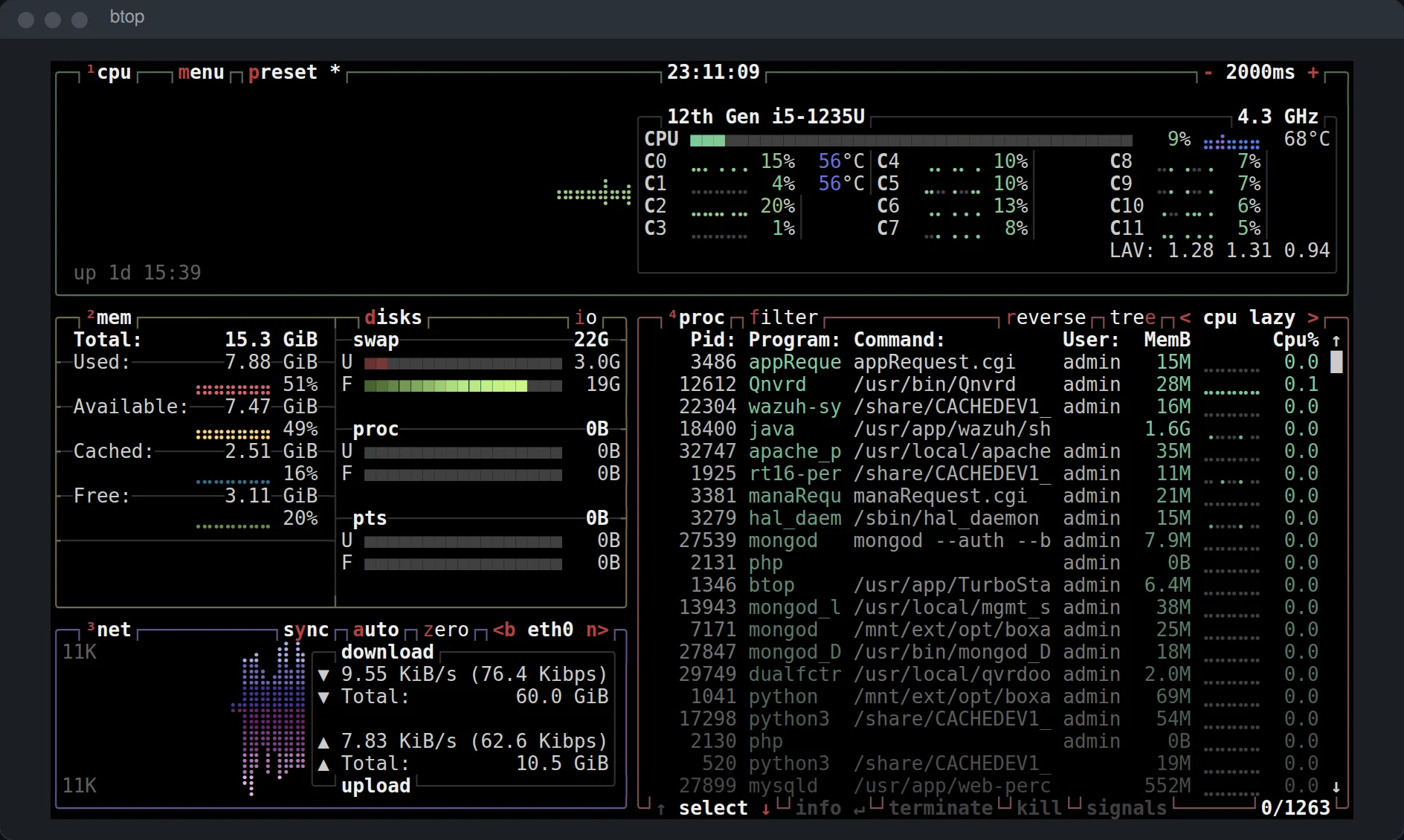
btop | TurboStat | Processor, memory, disks, network and processes on one screen |
ddrescue | TurboShell | Copies a failing disk, retrying and mapping the bad areas |
duf | TurboStat | Used and free space of every mounted file system, as a table |
eggdrop | TurboX | An IRC bot with Tcl scripts. It refuses to run as root: start it as an ordinary user. |
fd | TurboShell | Finds files by name, with simpler options than find |
fish | TurboShell | The fish shell, with suggestions as you type |
fpc | TurboShell | The Free Pascal compiler |
fping | TurboStat | Pings many hosts at once |
fzf | TurboShell | A fuzzy finder for files, shell history and any list |
git | TurboShell | Git version control, with https |
glances | TurboStat | A system monitor in the terminal |
hexedit | TurboShell | Views and edits files in hexadecimal and ASCII |
htop | TurboStat | An interactive process viewer |
iftop | TurboStat | Bandwidth per connection on an interface |
inxi | TurboShell | A summary of the hardware and system in one command |
ioping | TurboStat | Measures disk latency request by request, like ping |
iotop | TurboStat | Disk reads and writes per process |
iperf3 | TurboStat | Measures network throughput between two machines |
ipmitool | TurboStat | Talks to a server's BMC over the network |
iptraf-ng | TurboStat | IP traffic and interface statistics in a text interface |
irssi | TurboX | The terminal IRC client |
lftp | TurboShell | An FTP, FTPS, SFTP and HTTP client with mirroring and queues |
lsblk | TurboShell | Lists disks and partitions as a tree |
lscpu | TurboShell | The processor's cores, threads and caches |
lsusb | TurboStat | Lists USB devices by name |
lua | TurboShell | The Lua interpreter and compiler |
man | TurboShell | Reads the manual pages of the programs |
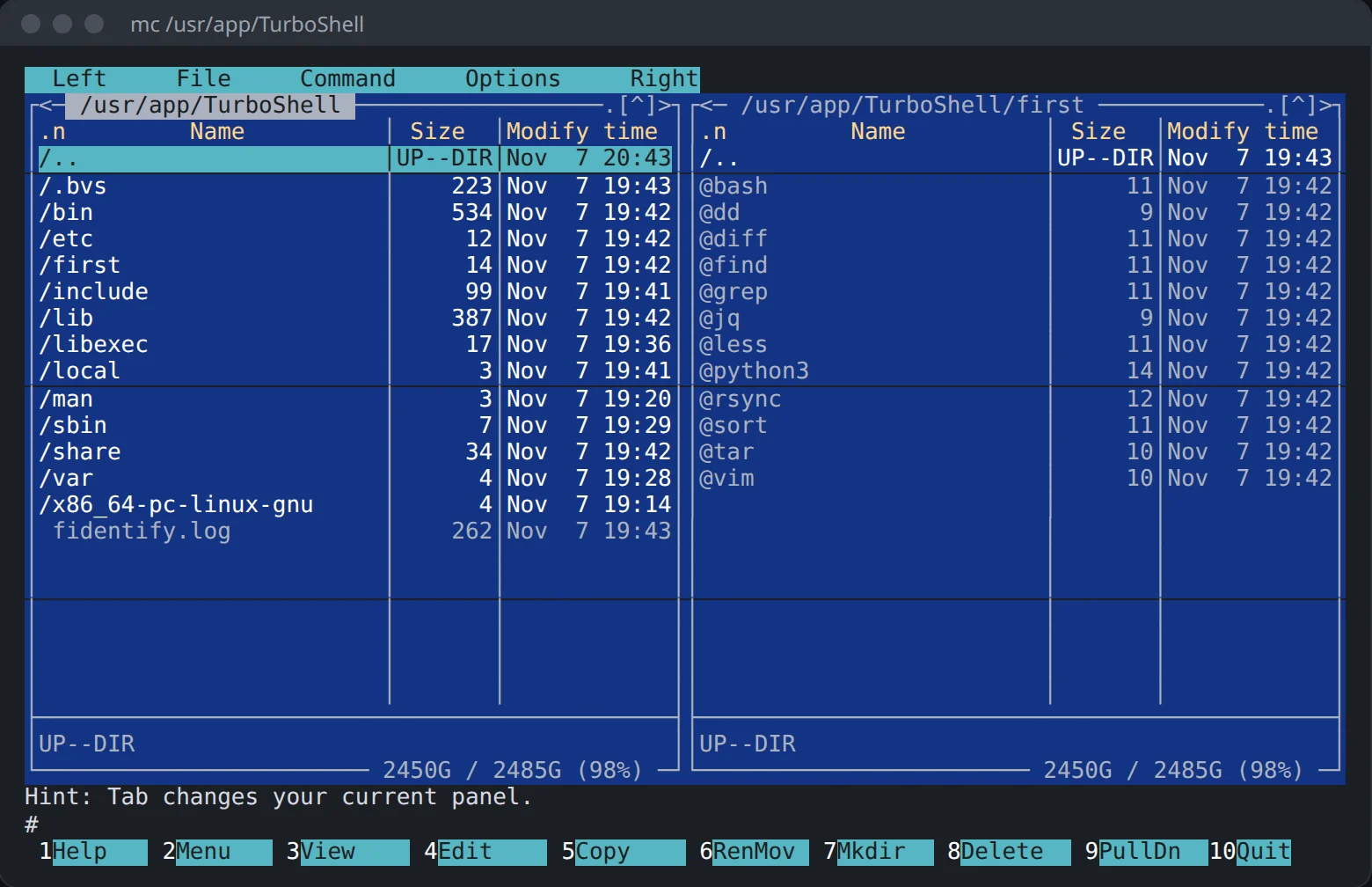
mc | TurboShell | Midnight Commander: a two-panel file manager with mcedit and mcview |
micro | TurboShell | A terminal editor with the usual keys: Ctrl-S, Ctrl-C, Ctrl-V |
mtr | TurboStat | traceroute and ping in one, per hop |
nano | TurboShell | The GNU nano editor |
ncat | TurboStat | Nmap's netcat: sends and receives data over TCP and UDP, with TLS over TCP |
ncdu | TurboStat | Shows what fills a disk, folder by folder |
nethogs | TurboStat | Network bandwidth per process |
nload | TurboStat | Incoming and outgoing traffic as graphs |
nmap | TurboStat | Finds hosts and open ports on a network; also Ncat and Nping |
nmon | TurboStat | Processor, memory, disk and network performance |
parallel | TurboShell | Runs shell jobs in parallel, on the NAS or over SSH |
perl | TurboShell | Perl 5 with its core modules |
pigz | TurboShell | gzip on all processor cores |
pip3 | TurboShell | Installs Python packages for TurboShell's Python |
pure-ftpd | TurboX | An FTP server with TLS |
restic | TurboShell | Encrypted, deduplicated backups to a folder, SFTP, S3 or REST |
rg | TurboShell | ripgrep: searches folders for a pattern and skips what .gitignore lists |
sensors | TurboStat | Temperatures, fan speeds and voltages |
smartctl | TurboStat | Reads a disk's S.M.A.R.T. data and runs its self-tests |
socat | TurboShell | Relays data between files, pipes and sockets, with TLS |
ssh-copy-id | TurboShell | Copies your public key to another machine for SSH sign-in |
sshfs | TurboShell | Mounts a folder of another machine over SSH |
sshpass | TurboShell | Types a password into ssh for a script |
strace | TurboStat | Shows the system calls and signals of a program |
tclsh | TurboX | Tcl, the language of Eggdrop's scripts |
tcpdump | TurboStat | Captures and decodes network packets |
testdisk | TurboShell | Finds lost partitions; PhotoRec recovers deleted files |
tmux | TurboShell | Keeps terminal sessions running after you disconnect |
unrealircd | TurboX | An IRC server. It refuses to run as root: start it as an ordinary user. |
vnstat | TurboStat | Network traffic per interface, by hour, day and month |
znc | TurboX | An IRC bouncer: it stays in your channels while you are away. It refuses to run as root: start it as an ordinary user. |
zsh | TurboShell | The Z shell |
zstd | TurboShell | Zstandard: fast compression with a good ratio |
QTS's copy runs; type the full path for ours
| Command | Package | What you get |
|---|---|---|
7z | TurboShell | 7-Zip under its 7z name |
awk | TurboShell | GNU awk |
bzip2 | TurboShell | bzip2 compression |
curl | TurboShell | URL transfers with TLS, HTTP/2 and zstd |
dmidecode | TurboStat | Board, BIOS, processor and memory modules, read from the firmware |
ethtool | TurboStat | Network interface settings, such as speed and duplex |
fio | TurboStat | A disk benchmark with any mix of reads and writes |
gzip | TurboShell | GNU gzip |
ip | TurboStat | Addresses, routes and links, with ss for sockets |
lsof | TurboStat | Open files and sockets, and the processes that hold them |
nvme | TurboStat | NVMe drive information, SMART and error logs |
ps | TurboStat | Lists processes |
pv | TurboStat | Progress and rate of data through a pipe, and the time left when the size is known |
scp | TurboShell | Copies files over SSH |
screen | TurboShell | GNU Screen: keeps sessions running after you disconnect |
sed | TurboShell | GNU sed, the stream editor |
ssh | TurboShell | The OpenSSH client |
top | TurboStat | Processes by processor use, live |
traceroute | TurboStat | The routers on the way to a host |
unrar | TurboShell | Extracts every RAR format |
wget | TurboShell | GNU wget: downloads over HTTP, HTTPS and FTP |
xz | TurboShell | XZ compression |
Only as a recipe in Bucket & Code
| Command | Package | What you get |
|---|---|---|
borg | a recipe | Deduplicated, encrypted backups |
emacs | a recipe | GNU Emacs for the terminal |
gdb | a recipe | The GNU debugger |
gpg | a recipe | GnuPG: OpenPGP signing and encryption |
ltrace | a recipe | Shows the library calls of a program |
mosh | a recipe | A remote shell that survives roaming and sleep |
node | a recipe | Node.js with npm |
rclone | a recipe | Copies files to and from S3, SFTP, WebDAV and other storage services |
ruby | a recipe | Ruby with RubyGems and Bundler |
tshark | a recipe | Wireshark's packet capture and analysis in the terminal |
From recipe to App Center
Every package goes through the same five steps. If a recipe fails its audit or its check, the build stops and nothing is packed.
Recipe
The recipe names a source address over https, the recipes it depends on, and a test. Give a version number or latest; the App Builder records each download and rejects a file that changes under the same version.
Builder
An Ubuntu 24.04 environment on the NAS compiles the recipe into the app's folder. Its glibc 2.39 is the lowest that QTS 6.0 and QuTS hero 6.0 ship, so the programs run on both.
Audit
The App Builder checks every program and library it built. A program can load only glibc and the libraries of its own recipe or of the recipes it depends on; an undeclared library stops the build.
Check
The recipe's own test runs in a clean environment: rsync copies a file, a server answers on a free port, a full-screen program draws its screen.
QPKG
Export as QPKG packs the app with its licences. App Center installs it, links it at /usr/app/<name> and adds one line to the login profile.
Three packages
Each package is an App Builder app, built from a recipe list that you can read and change.
- TurboShell79 recipesShells, the GNU tools, 16 archivers and compressors, tmux, Midnight Commander, editors, git, Perl, Python and Free Pascal.
- TurboStat43 recipesWhat the NAS is doing: htop, btop, atop, glances, iotop, iftop, nethogs, vnstat, mtr, tcpdump, iperf3, nmap, smartctl and sensors.
- TurboX10 recipesIRC on the NAS: irssi and BitchX, the Eggdrop bot, the UnrealIRCd server with Anope services, the ZNC bouncer and Pure-FTPd.
Which copy runs
QTS and QuTS hero, like most embedded systems, have their own reduced versions of many commands, most of them from BusyBox. QTS's own scripts call these commands by name. Our packages leave them unchanged, so QTS's scripts work as before.
When you sign in over SSH, your shell runs our copies of 16 commands first: TurboShell's rsync, bash, tar, jq, python3, vim, less, grep, find, sort, dd and diff, and TurboStat's hdparm, iostat, lspci and free. They accept options that QTS's copies do not accept: rsync --info=progress2 on QuTS hero 6.0, tar --zstd, sort -h, hdparm -I.
It works the same for admin and for every other administrator, with nothing to type or load. QTS lets another administrator sign in over SSH only if Control Panel › Network & File Services › Telnet / SSH › Edit Access Permission lists the account. sudo keeps the same order: sudo hdparm -I /dev/sda runs TurboStat's hdparm, and sudo -i opens admin's shell with the same commands.
A script you start from your SSH login finds the same commands as your shell. Its first line decides which bash runs it. With #!/bin/bash it runs in QTS's bash, which has no associative arrays, mapfile or globstar. To run it in TurboShell's bash, start it with #!/usr/app/TurboShell/bin/bash.
Cron, QTS's own scripts and a command sent directly over ssh use QTS's commands. To use our rsync from another computer, give its full path:
rsync --rsync-path=/usr/app/TurboShell/bin/rsync ...To put a whole package first in the shell you are in:
export PATH=/usr/app/TurboStat/bin:/usr/app/TurboStat/sbin:$PATH[~] # command -v rsync
/usr/app/TurboShell/first/rsync
[~] # rsync --version | head -1
rsync version 3.5.1 protocol version 33
[~] # tar --version | head -1
tar (GNU tar) 1.35Build your own package
Bucket & Code ships the recipe lists of the three packages as Editor projects, and its App Builder library contains 561 recipes. Pick the ones you need, build them on your NAS and export a QPKG.
- 229 libraries
- 161 tools
- 72 network
- 34 servers
- core, rdzeń
A part of the processor that runs instructions on its own. On Intel and AMD, the fieldcpu coresin/proc/cpuinfogives the number of cores of the chip.28 core - 19 languages
- 9 editors
- 9 shells
- Install Bucket & Code Server IDE from App Center.
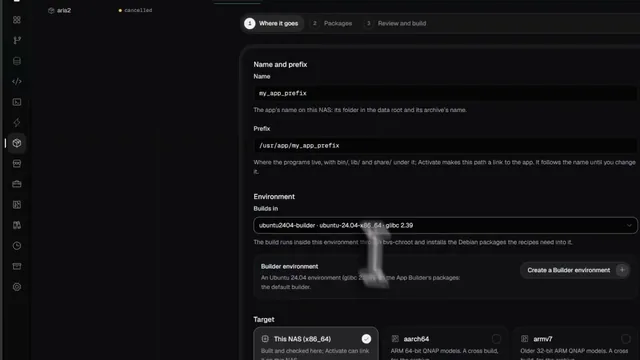
- In the App Builder make a new app, pick its recipes and press Build. The first build compiles every recipe; a later one rebuilds only the recipes whose sources or build scripts changed.
- Export makes a QPKG once the QDK toolchain is installed. Install the file, or offer it from an App Center repository of your own.
See it done in Bucket & Code Compile Any App You Need Without Linux Skills: Build QPKG & Deploy Easily (Freeware) 8 min on YouTube
Limits
- The three packages are built for Intel and AMD processors (x86_64) and need QTS 6.0 or QuTS hero 6.0 or newer.
- No opkg and no package feed run on the NAS. If a program is missing, it comes with a new package version, or you add a recipe line and build a package of your own.
- A command sent directly over ssh reads no login profile, so it gets QTS's copy. Give our program's full path.
- Installing a package downloads one QPKG file from our App Center repository and nothing else.